KING AIR 350
The study-level turboprop for X-Plane 12 - the analog beast, reborn in 2.0. Two mighty PT6A-60A turboprops, real procedural depth, and you’re always one click from the sky.
Version 2.0.3 · X-Plane 12 · Windows, macOS (Apple Silicon), Linux

About
Fly the King Air 350 from the era just before the glass-cockpit upgrade: a largely analog panel backed by two PT6A-60A turboprops and real procedural depth. Built by Airfoillabs and tuned against real documentation and performance data, the KA350 lets you choose between one click to the sky and full procedural immersion - without ever feeling overwhelmed.
This is not a visual model with scripted behavior. Electrical buses, fuel cells, prop governors, pressurization, and annunciators are all custom-simulated and interact with each other, just like in the real aircraft.
The Aircraft
The Airfoillabs King Air 350 represents the type at the peak of its analog era - and the performance to match:
Two PT6A-60A engines, 1,050 SHP each · Fast cruise around 311 KTAS · Range roughly 1,550 NM · Climb up to 2,700 ft/min
Short-field capable - takeoff and landing distances in the low 3,000 ft range when flown by the book. The flight model is tuned to match real performance tables as closely as possible within X-Plane 12, with real-data-based starter torque, RPM, and spool-up times for authentic engine starts.
Features
For Every Simmer
Study-level depth without intimidation. One click from the sky - choose Cold & Dark, Before Engine Start, Before Taxi, or Before Takeoff - or dive into full procedural immersion.
PBR 3D Model & Immersion
Ultra-detailed PBR cockpit and exterior with realistic glass and wear. Reworked high-resolution interior textures and X-Plane 12 detail textures in 2.0, plus ice, rain, and wipers with X-Plane 12 weather effects.
FMOD Soundscape
Built from real King Air 350 recordings: multi-layer engine audio, switches, relays, environment, and ground-movement sounds. Noise-canceling headphones with a dedicated menu icon.
Custom Electrical System
Multi-bus DC and AC system with generators, inverters, relays, and realistic bus logic - loads affect annunciators and lighting, buses stay correctly powered in engine-out glides, and the GPU supplies power the way it should.
Custom PT6A Simulation
Custom Alpha, Beta, and Reverse regimes, low-pitch stops, feathering and autofeather logic, inertial separators, and governor test logic - with engine starts tuned to real starter torque, RPM, and spool-up times.
Avionics & Autopilot
Dual Garmin GNS 530 or MFD/FMS panel, plus RealityXP GTN 750 support. Custom autopilot mode logic including VNAV and approach modes - with reliable RNAV glidepath capture as of 2.0 - and native X-Plane 12 weather radar.
Fuel & APU
Accurate fuel cells, boost and transfer pumps, crossfeed, firewall valves, vents and drains. APU with proper start sequence and electrical integration.
Pressurization, Ice & Rain
Pressurization controller with test logic and explosive depressurization failure. De-ice boots, windshield anti-ice and wipers, pitot heat, engine inlet heat, and propeller deice.
Automated Checklists
Automated spoken checklists with hints, callouts, and camera focus - learn procedures step by step. Real-world performance tables converted into code for takeoff and landing speeds and distances.
Smart XJet UI
One-click aircraft states, weight and balance with loading and CG visualization, detachable 2D panels for multi-monitor setups and busy IFR flights, plus integrated camera views.
Annunciators & Failures
Everything feeds a Master Warning/Annunciator system that mirrors the complexity of the real aircraft, backed by a custom failures UI.
Walk-Around & 18 Liveries
Move inside and outside the aircraft, climb the stairs, and interact during preflight - with collision and basic G-force simulation. 18 hand-painted liveries based on real paint schemes.
What’s New in 2.0
More than a patch - 2.0 marks the return to active King Air 350 development, with a plan for frequent, focused updates:
Reworked interior textures, materials, and X-Plane 12 detail textures · Autopilot roll oscillation in HDG/NAV eliminated, improved pitch and roll stability · RNAV approach glidepath capture and FMS/GPS vertical guidance fixed
Generator bus, GPU, battery failure, and DME power logic corrected · Realistic takeoff-roll yaw behavior and gust lock conditions · Engine start tuned to real aircraft data - starter torque, RPM, spool-up times
2.0.2 / 2.0.3: audio panel rebuilt from scratch, native weather radar, VNAV display fixes, and engine idle logic accounting for generator loads.
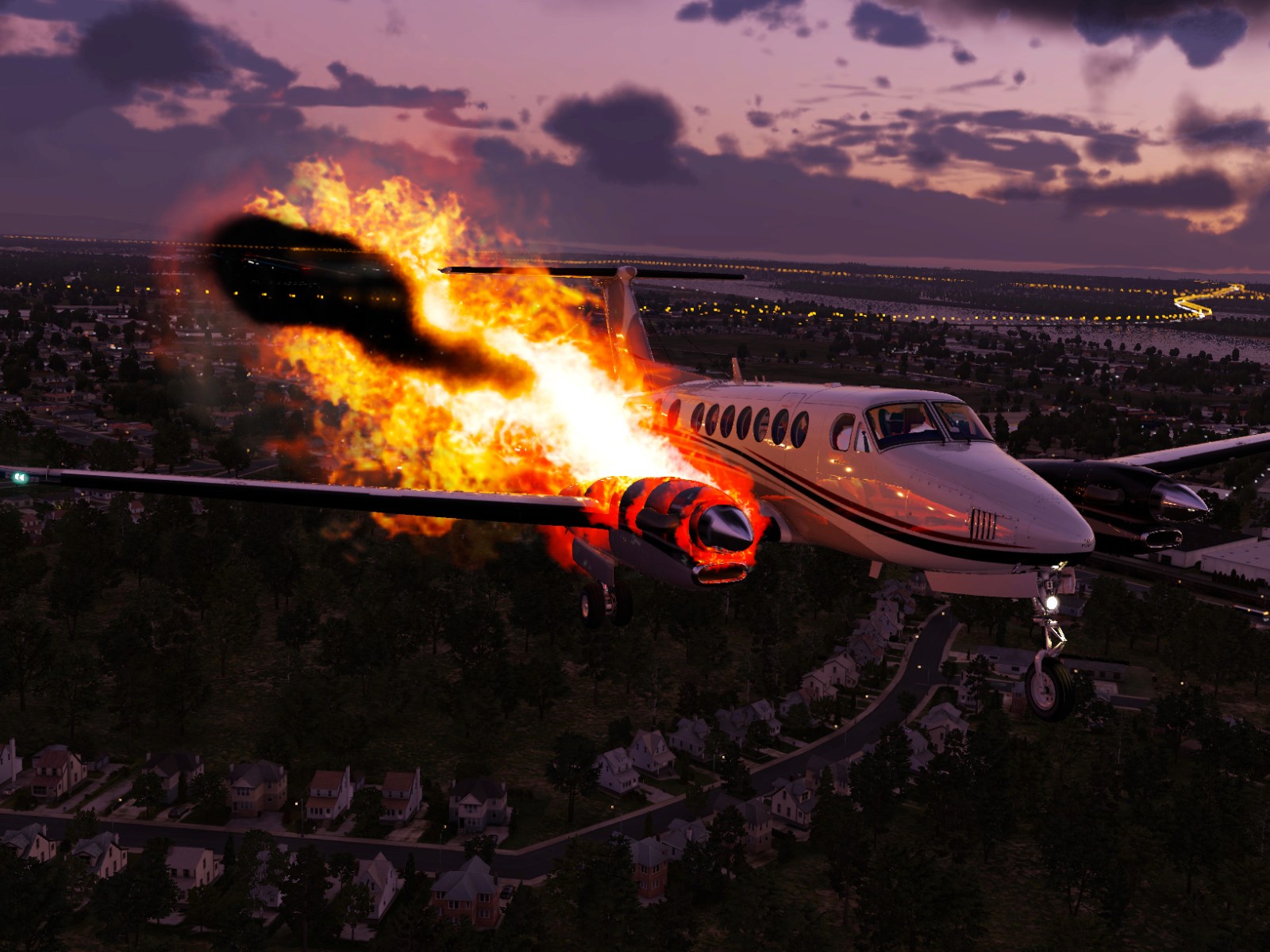
A Closer Look






Requirements
X-Plane 12 (64-bit, not compatible with X-Plane 11) · Windows, macOS (Intel and Apple Silicon), or Linux
8 GB VRAM recommended
Installation and updates via the Airfoillabs Product Manager (XJet) · Internet connection required for activation.
Ready to Fly?
Back in active development - latest update 2.0.3 (December 2025). Get the King Air 350 for X-Plane 12 on the X-Plane.org Store.